
Security & Privacy Model
Scout is architected from the ground up as a single-owner personal agent that runs on infrastructure you control.
Core Security Principles
Section titled “Core Security Principles”1. Single-Owner Lockdown
Section titled “1. Single-Owner Lockdown”- Scout is designed exclusively for personal, single-user deployment.
- Once the initial owner account registers (protected by a one-time
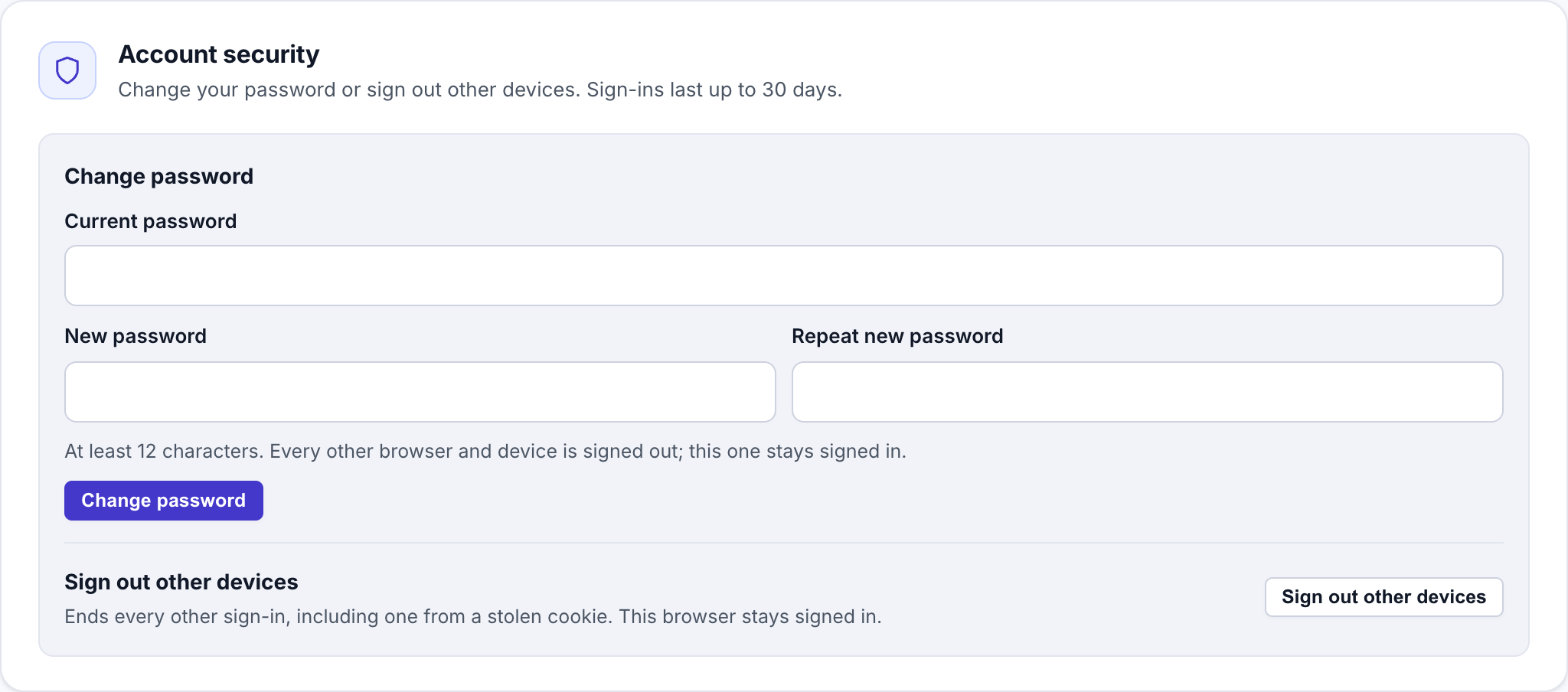
SIGNUP_ACTIVATION_CODEwhen deployed viadeploy-vm.sh), registration permanently locks down. - From Settings → Personalization → Account security, you can rotate your password or immediately revoke and sign out all other active browser/device sessions.
2. Encryption at Rest (AES-256-GCM)
Section titled “2. Encryption at Rest (AES-256-GCM)”- OAuth 2.1 access and refresh tokens, custom MCP authentication headers, Telegram bot tokens, and AgentMail credentials are encrypted at rest in the database using AES-256-GCM symmetric encryption (
ENCRYPTION_KEY). - Startup fails fast if
ENCRYPTION_KEYorSESSION_SECRETis missing or left as a default placeholder.
3. Per-Agent MCP Tool Isolation
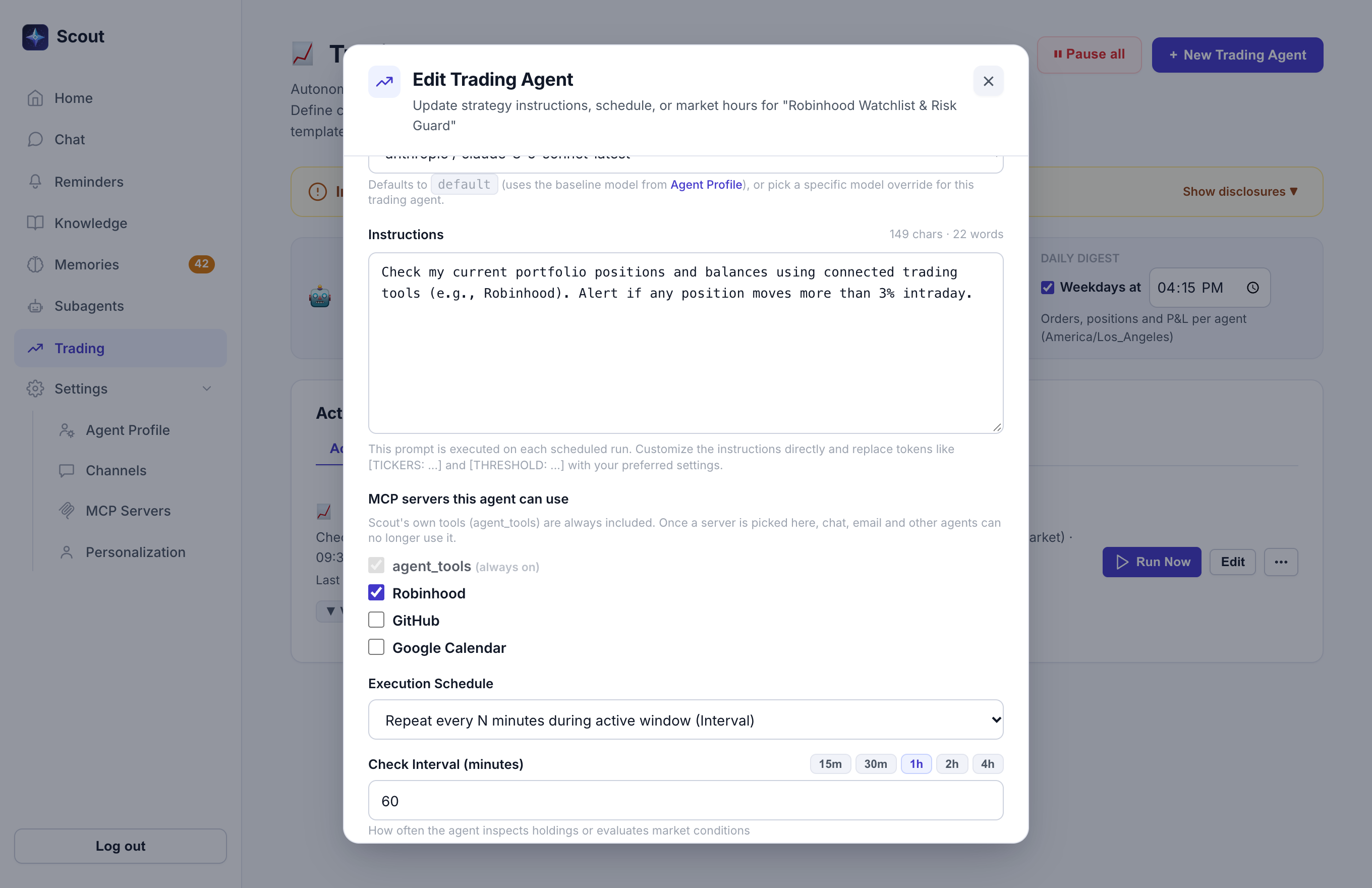
Section titled “3. Per-Agent MCP Tool Isolation”- Sensitive remote Model Context Protocol (MCP) servers (such as brokerage integrations like Robinhood) can be assigned exclusively to specific subagents using the MCP servers this agent can use picker.
- Once an MCP server is claimed by a specific subagent, Scout’s internal MCP proxy refuses access to that server from general web chat, Telegram chat, inbound email turns, reminders, and other subagents.
4. Untrusted-Turn Safeguards (Prompt Injection Defense)
Section titled “4. Untrusted-Turn Safeguards (Prompt Injection Defense)”- Turns triggered by external or untrusted inputs—such as inbound AgentMail emails or turns that fetch arbitrary third-party web pages—are flagged as untrusted.
- Memory Quarantine: Facts extracted during untrusted turns are held in a Pending Review queue on the Memories page and are not injected into future prompts until the owner explicitly approves them.
- Subagent Creation Gate: Untrusted turns cannot silently schedule new background subagents without owner approval.
5. SSRF Mitigation
Section titled “5. SSRF Mitigation”- Remote MCP server URLs, OAuth discovery endpoints, and webhooks are validated against Server-Side Request Forgery (SSRF) rules to block traversal into loopback interfaces, private RFC1918 networks, link-local addresses, and cloud metadata IPs (
169.254.169.254). - Remote gallery catalog entries can only preset loopback OAuth redirect URIs when explicitly required by a provider (such as Robinhood); any non-loopback redirect override is stripped.
6. VM Secret Isolation (deploy-vm.sh)
Section titled “6. VM Secret Isolation (deploy-vm.sh)”- Application secrets (
SESSION_SECRET,ENCRYPTION_KEY,SIGNUP_ACTIVATION_CODE, and LLM/channel API keys) live only in/opt/scout/.envon the VM with0600root-only permissions. deploy-vm.shwrites secrets directly over SSH and never places them in GCE startup-script instance metadata.
Rotating Secrets After an Older VM Deploy
Section titled “Rotating Secrets After an Older VM Deploy”If you deployed a VM with an older version of deploy-vm.sh that placed secrets in GCE startup-script metadata, running ./deploy/deploy-vm.sh upgrade removes them from metadata. To rotate keys afterwards:
- Create new Gemini, Telegram, and AgentMail keys in their consoles and revoke the old ones.
- SSH into the VM (
./deploy/deploy-vm.sh ssh) and edit/opt/scout/.env: set the new API keys and generate a freshSESSION_SECRET=$(openssl rand -hex 32)(this signs out active web sessions). - Restart the stack:
Terminal window cd /opt/scout && sudo docker compose up -d - Leave
ENCRYPTION_KEYas-is unless you want to re-authenticate every connected MCP server and channel.